Past trips
The archive that makes the next trip easier.
Completing a trip
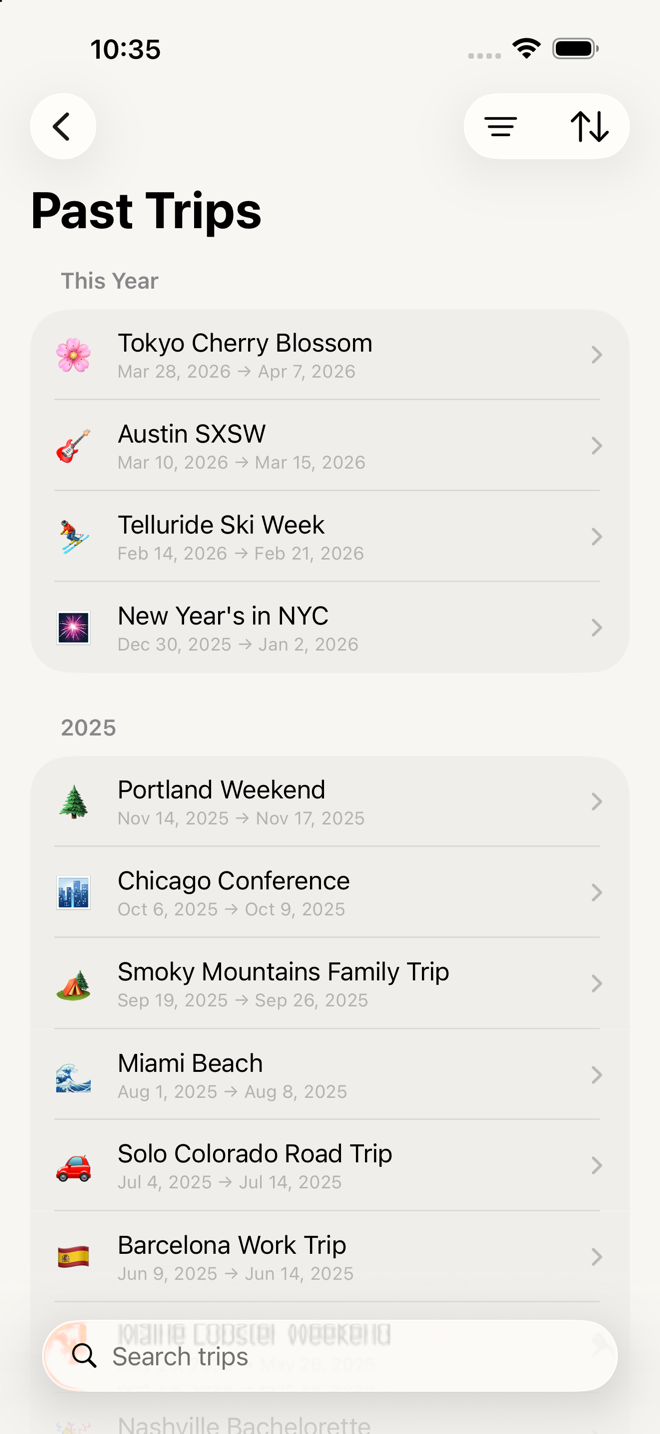
••• → Mark Trip Complete, from inside the trip. It moves to Past Trips and everything in it becomes read-only — no checking, no editing, no adding.
If you forget, the app asks. Three days after your return date, opening Home brings up:
Mark [trip name] complete? It's been 4 days since you returned from your trip. Would you like to mark this trip complete? (12 items remain unchecked)
Mark Complete or Not Yet. Declining isn't permanent — it'll ask again in another few days.
Reopening one
Within three days of the return date, a completed trip can be reopened: press and hold it in Past Trips → Reopen Trip. It goes back to being an active trip.
After that window it stays read-only, and its dates can no longer be edited. Its classification — type, weather, transport, season — stays editable forever, so you can keep the archive organized.
Doing it again
Press and hold any past trip:
| Action | What you get |
|---|---|
| Copy as New Trip | A brand-new trip with that trip's exact list — everything you added, everything you deleted, every quantity you changed |
| Save as Template | Turns it into a reusable template, then opens the editor so you can tidy it |
| Edit Trip | Change its details |
| Reopen Trip | Back to active (within three days of return) |
| Delete Trip | Permanent, with a confirmation |
Copy as New Trip is the underrated one. For "the same trip again", it beats templates: no maintenance, no separate thing to keep updated, and it preserves the refinements you made last time rather than the ones you imagined when you built a template.
Finding one
Search by name at the top.
Filter by trip type, duration, transportation, weather and season. Active filters show as chips you can dismiss individually, with Clear All when several are on.
Sort by:
| Group | Options |
|---|---|
| Departure | Recent First · Oldest First |
| Duration | Shortest First · Longest First |
| Alphabetical | A → Z · Z → A |
Go deeper
Read a past trip like a record. Open it and you can walk its five phases exactly as they were — including a section that ended up empty, which is labeled "Section contained no items." That's a useful signal when you're deciding what to cut next time.
A finished trip is a record of what you actually took. That is what makes the archive worth having — not what you meant to pack, but what went in the bag and what you ticked. Notes you left on rows travel with it, so anything you jotted on the way home is there when you plan the next one.
Completed trips show everything. Hide Completed is forced off in a completed trip, so you see the full list as it stood, ticks and all.
If something looks wrong
My trip isn't in Past Trips. It hasn't been marked complete. Open it and use ••• → Mark Trip Complete, or wait for the Home screen to ask.
I can't find the Past Trips button. It only appears once you have at least one completed trip — at the bottom of the Home screen, or in the middle of the empty state if you have no active trips.
I can't edit a past trip's dates. More than three days have passed since its return date. Type, weather, transport and season are still editable.
I copied a trip and the quantities look wrong. A copy keeps the original's numbers rather than recalculating for new dates. If the new trip is a different length, adjust anything counted per-day. See Quantity formulas.
I deleted a past trip by mistake. There's no undo. If you'd saved it as a template, that template is unaffected — templates are independent copies.
More in Guide